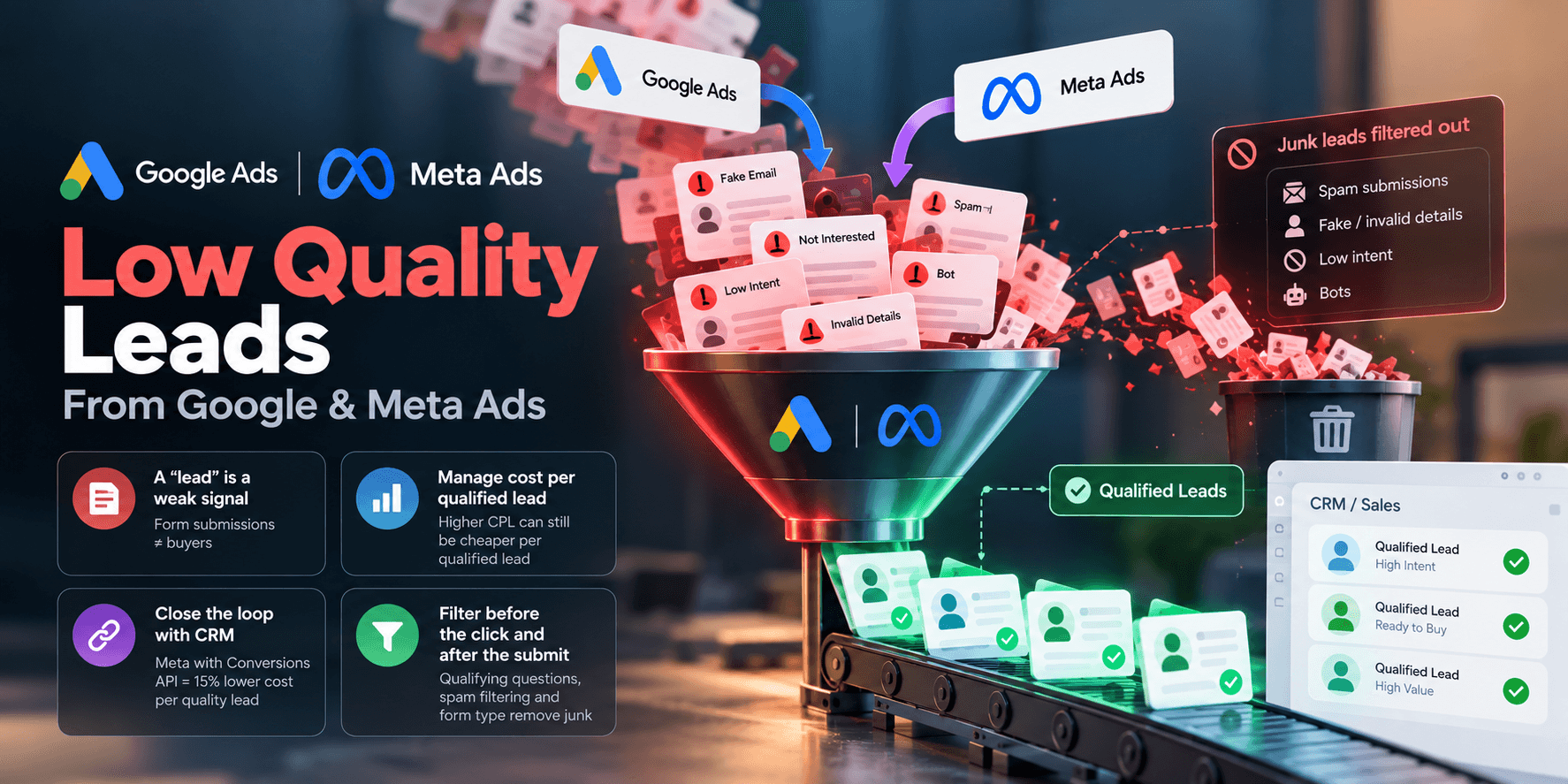
Low CPL but Poor Quality Leads: Why and How to Fix
Low CPL, poor leads? The platform is chasing cheap form-fills. Meta reports 15% lower cost per quality lead with a CRM signal. Fixes and steps inside.
By Abhilash LR
Low cost per lead and poor lead quality usually share one cause: the ad platform is optimizing for a form submission, and the cheapest submissions come from the people least likely to buy. Fixing it means changing what you tell the platform to chase. Trimming the audience alone won't do it.
Key Takeaways
A "lead" is a weak signal. If the conversion action fires on any form submission, the bidder finds the cheapest submitters, not the best buyers.
Manage cost per qualified lead. A campaign with a higher CPL can still cost half as much per qualified lead (see the illustrative example below).
Close the loop. Meta reports 15% lower cost per quality lead for ads that connect a CRM through its Conversions API and use the conversion leads goal (Meta for Business).
Filter before the click and after the submit. Qualifying questions, spam filtering and form type each remove junk at a different point.
Why does a low CPL come with poor lead quality?
A low CPL comes with poor quality because the platform does what the conversion action asks. If "form submitted" is the goal, the bidder looks for people who submit forms cheaply, whatever their budget, location or intent. Cheap volume shows the system working as configured. It says little about campaign health.
Two things push CPL and quality down together. Broad targeting widens the pool of people willing to fill in a form for free. Short forms drop the fields that made people self-select, such as budget or timeline, so curiosity counts as intent.
Tracking can quietly make this worse. One failure mode to check for is tracking that looks connected but isn't sending: the tag shows as active in the platform while the qualified-lead event never arrives. Then you are still optimizing for form-fills. Treat CPL as a volume metric and judge the campaign on what happens in your CRM.
A worked example with illustrative numbers (INR)
This is a hypothetical example with made-up numbers, not client data. It shows why cost per qualified lead (CPQL) can move opposite to CPL. All money values are in Indian rupees (INR).
Campaign A: form-fill goalCampaign B: qualified-lead goalSpend₹100,000 (INR)₹100,000 (INR)Leads500250Cost per lead₹200 (INR)₹400 (INR)Qualified rate5%20%Qualified leads2550Cost per qualified lead₹4,000 (INR)₹2,000 (INR)
Campaign A looks twice as efficient on the dashboard. Campaign B delivers twice the qualified leads for the same spend, and sales handles 250 conversations instead of 500. Divide spend by qualified leads before deciding what to scale.
Fixes compared: what each one changes and costs
The fixes act at different points in the funnel, and each has a trade-off. Start with the form and filters, which are cheap to change. Move to the CRM signal once "qualified" has a written definition.
ApproachWhat it changesTrade-offQualifying questionsSelf-selection before submitFewer leads; some good prospects drop offSpam and bot filteringRemoves fake submissions from the count and the dataNeeds setup and regular rule reviewMeta Lead Ads vs landing pageFriction and intent per submissionInstant forms are easier to complete; landing pages often cost more per lead (varies by account)Offline conversion import / CRM signalWhat the bidder learns fromSmaller, slower data set; needs CRM disciplineValue-based biddingWeights qualified leads above raw leadsNeeds enough volume and a defensible value per stage
How do qualifying questions and spam filters raise lead quality?
Qualifying questions raise quality by making people state their fit before they submit. A budget range, timeline or location field costs some volume, but the leads that remain are more likely to be sales-ready. Add friction on purpose and judge it in CPQL.
Use two or three multiple-choice questions, and ask the disqualifying one first. One sharp question tends to filter better than five generic fields, because blanket friction cuts good and bad leads alike. Run the old and new form side by side and compare qualified rates.
Spam and bots teach the bidder that junk is success. Add a honeypot field or CAPTCHA, validate phone and email format, and remove duplicates. Fire the conversion tag only after validation passes. This is often the cheapest fix to try first, because fake leads feed the bidder the wrong examples of success.
Should you use Meta Lead Ads or a landing-page form?
Neither wins by default. Meta instant forms keep people in the app, which lowers friction and usually CPL. A landing-page form takes more effort, so it tends to filter for intent but costs more per lead. Choose by how much sales time a weak lead costs you.
Test both formats against the same offer. Compare cost per qualified lead after sales has worked the leads, and skip the first-week form-fill count. Whichever you pick, connect it to your CRM: Meta states that its conversion leads goal, which optimizes for leads likely to become qualified, works with a CRM connected through the Conversions API (Meta for Business). For the wider channel choice, see our guide to Google Ads vs Meta Ads for ecommerce in Southeast Asia.
How do you send a qualified-lead signal back to Google and Meta?
Upload the outcome from your CRM, such as "sales-qualified" or "closed won", and match it to the original click or lead. Google calls this offline conversion import; enhanced conversions for leads is its upgraded version. Meta takes the same data through its Conversions API.
On Google, enhanced conversions for leads uses user-provided data, such as email addresses, to improve accuracy and bidding performance. The offline conversion import page reports a median 10% increase in conversions for advertisers who sent first-party data alongside click IDs, versus standard imports. Google has been moving offline conversion imports to the Data Manager API, so check which API your integration uses.
On Meta, the averages for the CRM setup are 15% lower cost per quality lead and a 44% higher lead-to-quality-lead rate versus the leads goal (Meta). Treat them as averages, and expect your account to differ.
The trade-off is volume: a later event is a smaller, slower data set. Many teams keep the form-fill as a secondary goal until enough qualified events build up. Value-based bidding suits teams that can assign a defensible value per stage. Otherwise start with a plain qualified-lead count. Our guides to conversion tracking setup and attribution models cover the base layer.
Seven steps to fix low-quality leads
Work through these in order. Skipping step 1 makes the rest guesswork.
Define "qualified" in writing with sales: two or three criteria such as budget, location and decision-maker.
Measure CPQL for the last 60 to 90 days, per campaign and form type.
Add one qualifying question and run it against the old form.
Filter spam and duplicates before the conversion fires.
Connect the CRM and send the qualified-lead event to Google Ads and Meta.
Switch the primary goal once enough qualified events exist, keeping form-fills as a secondary signal.
Review creative and audience against CPQL. Our creative testing guide shows how to compare variants fairly. Then check what a qualified lead costs against your targets. Our guide to lowering CAC for D2C brands shows where to look next.
Once CPQL is stable, our guide to lowering CAC for D2C brands shows where to look next.
Not sure who should run this? Our note on hiring growth help covers what to ask for, and when DIY stops working helps you judge the timing.
If the conversion action is set to form submitted, the algorithm optimizes for the highest volume of form fills at the lowest cost, regardless of downstream quality. A better signal is a later event, such as a sales accepted lead or a closed deal, which reflects real business outcomes rather than top of funnel activity, at the cost of a smaller, slower dataset to learn from.Goal: form fillHigh volumeLow CPLUnknown qualityGoal: qualified leadLower volumeHigher CPLKnown quality
Optimizing on a form fill buys cheap volume of unknown quality. Optimizing on a qualified lead buys fewer, better leads at a higher CPL.
How we gathered these figures
Platform figures come from the linked sources, and the worked example is hypothetical. This post contains no COACT client data.
Get Your Account Audited
If CPL looks fine and results don't, the cause is often in tracking and conversion setup. Loupe is COACT's one-time Meta and Google Ads audit: a 133-point review of your Meta and Google ad accounts, delivered in 3, 5 or 7 business days by tier, at US$199, US$299 or US$399, with no retainer and no sales calls. If the review does not surface at least three fixes you can act on that week, you can request a refund of the audit fee within 14 days of delivery. It is built for D2C and ecommerce teams spending about ₹2.5 lakh (US$3,000) a month or more, with 60+ days of data. Book your audit, or view the sample report first (it asks for your name, email and phone number).
If you run lead generation for a service or B2B business rather than a D2C or ecommerce store, Loupe may not fit; the strategy call below is the better first step.
Still Launching? Get an Expert Team to Execute
An audit is for accounts that already have data to review. If you're still launching, or you'd rather have an expert team plan and run your lead-generation funnel, book a free strategy call with COACT for an honest read on where to start. More at coact.biz.
Frequently Asked Questions
Is a high volume of low-quality leads always bad?
No. Some businesses want top-of-funnel volume to nurture over time, and a low-friction form is a deliberate trade at that stage. It becomes a problem when you want qualified leads but the platform optimizes for something else.
How do I feed a qualified-lead signal back to Google or Meta?
Upload CRM outcomes through offline conversion import or enhanced conversions for leads on Google, and through the Conversions API on Meta. The steps are in the section on sending a qualified-lead signal back to Google and Meta.
Won't optimizing toward a smaller, later event hurt volume?
Yes, at first. A smaller, slower data set gives the bidder less to learn from, so delivery takes longer to stabilize. That is why many teams keep the form-fill as a secondary goal while qualified events accumulate.
Could the sales team be the problem, not the ads?
Possibly. If leads fit your criteria but follow-up is slow, that is a sales-process fix. Compare quality across several traffic sources to find the gap. Then check that your conversion events fire correctly, to rule out account-side faults. Our PPC audit red flags guide lists the common ones.
Should I just add more form fields to filter for quality?
Add one or two sharp questions and keep the rest of the form short. Extra friction removes busy but interested prospects along with weak ones. Measure the change in cost per qualified lead.
How can I tell whether the problem is targeting, the form or tracking?
Compare qualified rate by campaign, form type and audience, then confirm your conversion events fire. If causes still overlap, Loupe, COACT's Meta and Google Ads audit, can help. It is built for D2C and ecommerce, so confirm fit first.
Abhilash LR leads growth marketing at Coact, a performance marketing agency working across Southeast Asia and India. He built Loupe, Coact's fixed-price ad account audit.
Published at www.coact.biz2026-09-30 · Abhilash LR
Want results like these for your brand?
COACT runs performance-based growth across SEA & India. Start with a free 15-day pilot.
Book a strategy callKeep reading
India CAC Benchmarks 2026: What Data Actually Exists
India's median Meta CPC is about $0.10 vs $1.05 globally (Superads), but we found no credible India CAC-by-industry study. Here's what data actually holds up.
How to Build a Blended CAC Report in Google Sheets
Build a blended CAC report in Google Sheets with copy-paste formulas and an illustrative example: 6,00,000 spend over 400 customers is 1,500 CAC. For D2C.