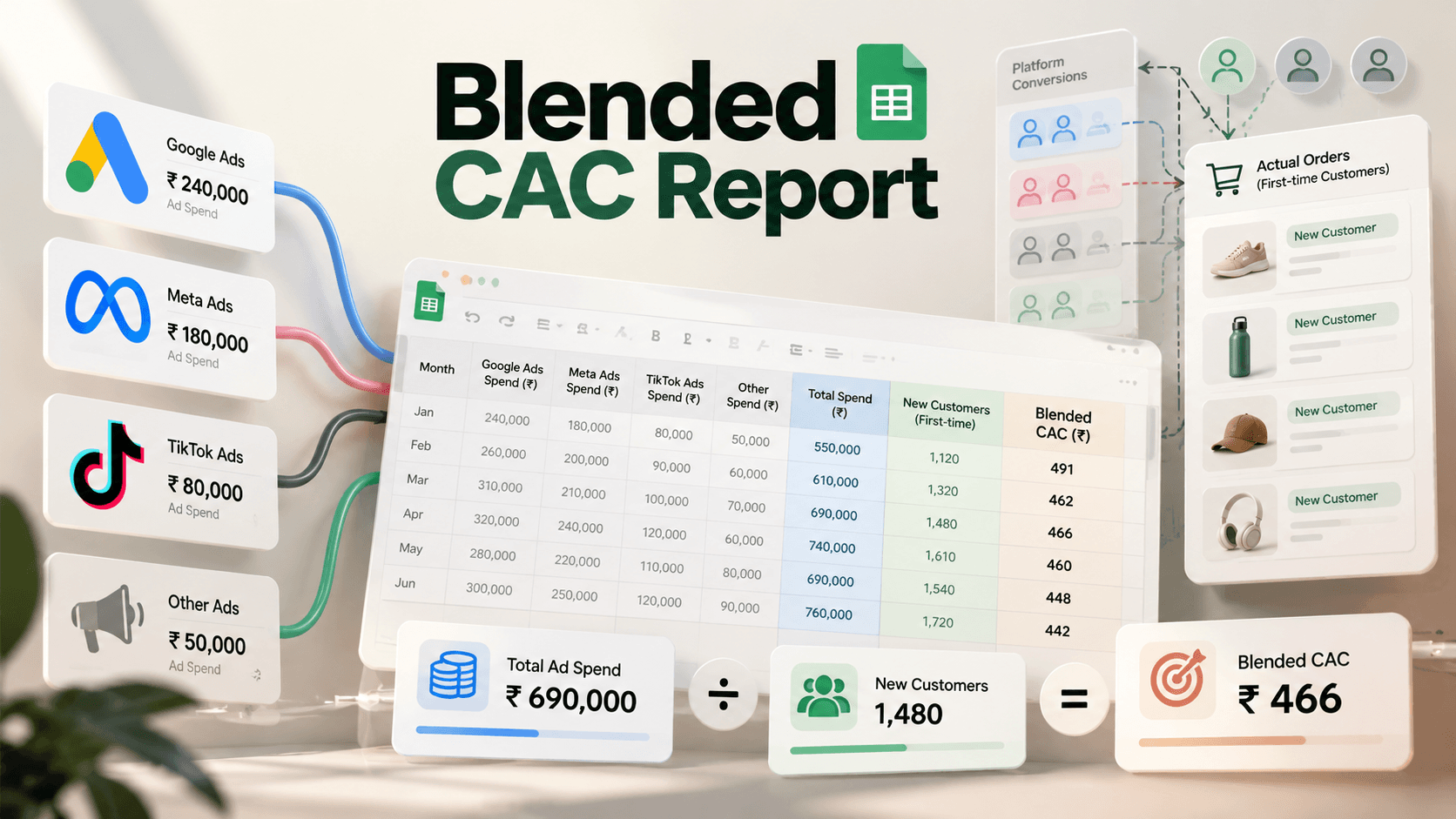
How to Build a Blended CAC Report in Google Sheets
Build a blended CAC report in Google Sheets with copy-paste formulas and an illustrative example: 6,00,000 spend over 400 customers is 1,500 CAC. For D2C.
By Abhilash LR
By Abhilash LR, who leads growth marketing at Coact.
Blended CAC is spend divided by all new customers in the same period, paid and organic together. In this guide, paid blended CAC uses paid media spend; fully loaded blended CAC adds fees, tools, creative and salaries.
Your ad dashboards will not agree with your orders. Each platform counts conversions with its own attribution settings, so adding them up gives a figure your order system can't confirm.
This guide gives you the layout, the formulas and a worked example in rupees. It also gives you a rule for when a month is safe to close. For the benchmark side, see our guide to good ROAS by industry.
Key Takeaways
- Paid blended CAC = paid media spend / new customers from your orders.
- Fully loaded blended CAC = (paid media + agency fees, tools, creative, salaries) / the same new customers.
- Count first-time customers only. Repeat orders make CAC look lower than it is.
- Summing Meta and Google conversions overstates results, because each platform counts the same sale on its own.
- Close each month after your return window ends.
How to Set Up a Blended CAC Sheet in Google Sheets
Set up one Summary tab with one row per month, and one Orders tab with a raw order export. Polar Analytics (a vendor source, 27 Jun 2026) says blended CAC "divides total spend by total new customers, paid and organic together." Your sheet follows the same logic.
Two definitions keep the report consistent. We use them in every section.
- Paid blended CAC = paid media spend / new customers.
- Fully loaded blended CAC = (paid media spend + agency fees, tools, creative and salaries) / the same new customers.
Start with paid blended CAC. Add the fully loaded version once the first is stable. The denominator is identical in both: every first-time customer in your order system, whether the sale came from an ad or not. Organic customers sit in the denominator. Organic cost enters the numerator only in the fully loaded version, and only if you pay for it.
The Summary tab uses this layout, with row 1 as the header row.
| Month | Google Ads spend | Meta spend | Other spend | Total spend | New customers (orders data) | Paid blended CAC |
|---|---|---|---|---|---|---|
| 1-Sep-2026 | 3,00,000 | 2,50,000 | 50,000 | 6,00,000 | 400 | 1,500 |
Illustrative figures, not client data.
Column A holds the first day of each month as a true date, so format it as a date. Columns B to D hold spend in rupees, copied from each ad account's cost report. Columns E to G hold the formulas below. Later sections add H (other acquisition costs), I (fully loaded CAC) and J (Status).
Adding another channel? Insert the new column between "Meta spend" and "Other spend" so the SUM range expands on its own. Every column to the right then shifts one letter (Total spend becomes F, New customers G, Blended CAC H), so update the letters in the formulas below. To keep the letters in this guide valid, add extra columns after the last column instead.
One more rule, as a recommendation: use ex-GST spend, and convert USD-billed accounts at one consistent rate across the whole month. Mixed rates quietly distort month-to-month comparisons.
If you keep raw spend exports on another tab, SUMIFS pulls monthly totals, and QUERY can group a long export by month.
The Blended CAC Formula (Paid Version)
Two formulas here, plus the customer count in the next section. Paste them into row 2 and drag down.
Total spend, in E2:
=SUM(B2:D2)
Paid blended CAC, in G2:
=E2/F2
You can skip the helper column and use =SUM(B2:D2)/F2 instead. To avoid an error when a month has zero customers, wrap it:
=IFERROR(E2/F2,"")
Shopify's marketing efficiency ratio (18 Jul 2026) is a close cousin. Shopify describes it as "a blended marketing efficiency metric that compares total revenue with total marketing spend." It is effectively a blended ROAS: revenue per rupee, not rupees per customer.
Worked example
Illustrative example, not client data.
A brand spends 6,00,000 rupees in a month. Its order system shows 400 first-time customers. Paid blended CAC is 6,00,000 / 400 = 1,500 rupees.
Now sum the conversions reported in the Meta and Google dashboards. Say the Meta and Google dashboards total 620 conversions. Dividing the same 6,00,000 by 620 gives about 968 rupees (about 35% cheaper). That looks better than the 1,500 rupees your orders support.
In this example, the extra 220 conversions could be overlap between platforms, repeat buyers and different attribution windows. Scale on the dashboard figure and you would plan around a cost you can't reproduce from orders.
Pull New Customers From Your Orders
Count first-time customers from the order system, not from ad platforms. Google's documentation shows one way platform counts differ: "view-through conversions are for reporting only and aren't included in the 'Conversions' column" (Google Ads Help, accessed 2026-10-19). Orders can have their own gaps, such as guest checkouts and duplicate emails, but each sale appears once.
Export orders into the Orders tab. This guide assumes column A is the order date, column B is a customer ID or email, column C is a flag reading "new" or "returning", and column D is the order status ("delivered", "cancelled" or "returned"). Adapt the letters to your export. Dates must be stored as dates, not text.
New customers for the month in A2, placed in F2:
=COUNTIFS(Orders!C:C,"new",Orders!D:D,"delivered",Orders!A:A,">="&A2,Orders!A:A,"<"&EDATE(A2,1))
COUNTIFS counts rows meeting every condition. The status condition drops cancelled and returned first orders. EDATE returns the same day one month later, so the range runs from the first of the month to just before the next. If you type a date into the formula instead of pointing at a cell, wrap it in DATE(), for example DATE(2026,9,1). The linked function pages list the exact syntax.
In an open month, orders still in transit are excluded, which is another reason to keep the row provisional. The status text must match your export exactly, or the count silently returns 0.
No flag in your export? Build one. In Orders!C2, then drag down:
=IF(COUNTIF($B$2:B2,B2)=1,"new","returning")
It assumes orders are sorted by date, oldest first, so a customer's first appearance is their first order. Export your full order history, not just the month. Otherwise customers who bought before the export window are wrongly flagged "new".
This flags a customer's first order even if it was later cancelled. If that customer reorders, they are never counted as new, so CAC can read slightly high. For a stricter flag, base "new" on the first delivered order:
=IF(D2<>"delivered","",IF(COUNTIFS($B$2:B2,B2,$D$2:D2,"delivered")=1,"new","returning"))
Why count only "new"? A repeat order adds to the denominator without adding an acquired customer, so CAC looks lower than it is. Count each customer once, in the month of their first order.
Here is how the three common methods compare.
| Method | Numerator | Denominator | Risk |
|---|---|---|---|
| Platform-sum conversions | Total spend | Meta plus Google reported conversions, added together | Overlap double counts the same sale; each platform uses its own attribution settings |
| Order-system new customers | Total spend | First-time customers from your orders | Needs a clean new/returning flag and a closed month |
| Including repeat orders | Total spend | All orders | Understates CAC because existing customers inflate the count |
The first row is the common trap. Here is one practitioner's view, from Webtonic (published 21 Aug 2026, updated 9 Oct 2026): "Adding every platform's claimed conversions together always overstates results." Google also notes that All conversions is a broader count than the Conversions column. Pick a dashboard column and you pick a definition. Your order system avoids that choice.
For background, read our explainer on attribution models. If your order flags look unreliable, fix conversion tracking first.
How Do You Close the Month Before Trusting Blended CAC?
Wait until the return window ends. Cancellations and returned first orders remove customers you already counted, so a month's CAC can still move. If you compare against the Google Ads dashboard, remember that Google credits a conversion to the time of the click, not the time of the sale (Google Ads Help, accessed 19 Oct 2026), so earlier months' dashboard counts can still change. That page also covers cross-device conversions.
Our recommendation, not an external standard: close the month only after your return window ends. If you accept returns for 14 days after delivery, and orders ship in 3 days, lock September around 18 October. Use your own longest delivery-plus-return lag.
Keep one row per month plus a Status column (J) set to "provisional" or "final". Fill the row around day 5 of the following month. Change Status to "final" once the return window has ended.
Attribution windows add lag too. Google's defaults are a 30-day click-through and 1-day view-through window. Other platforms set their own. That is one more reason to anchor on orders.
If CAC climbs in the final rows, start with why CAC is increasing.
Paid vs Fully Loaded CAC
Paid blended CAC divides paid media spend by new customers. Fully loaded blended CAC adds everything else you spend to win customers. SaaS Hero, writing about SaaS, says "fully loaded" means "every dollar directly or indirectly related to acquiring customers is included" (SaaS Hero). The idea carries over to D2C.
In the sheet, add column H, "Other acquisition costs", with agency fees, tools, creative production and marketing salaries. Then add column I, labeled "Fully loaded blended CAC":
=IFERROR((E2+H2)/F2,"")
Take the example: 6,00,000 in paid media plus, say, 1,00,000 in fees, tools, creative and salaries gives 7,00,000 / 400 = 1,750 rupees. That 1,00,000 is a hypothetical figure.
Report both numbers and label each one. Paid CAC tells you how efficient the ad budget is. Fully loaded CAC shows what you really spend to win a customer; set it against gross margin per customer to judge profitability.
Polar's "paid CAC" is narrower: it "divides paid spend by customers from paid." That needs channel-level attribution, which this sheet does not rely on. To act on your numbers, read how to lower CAC for D2C brands. For why platform data diverges, see attribution measurement.
Divide spend by first-time customers from your own orders, not by conversions the ad platforms claim. Label paid and fully loaded figures separately. Then wait for the month to close before you act on either.
Disclosure: Coact sells Loupe and runs growth marketing for clients; this post links to both.
Get Your Account Audited
If your blended CAC and your dashboards disagree, find out why before you scale. Loupe is a 133-point review of your Meta and Google ad accounts, delivered in 3, 5 or 7 business days for US$199, US$299 or US$399. Its tracking checks look at whether platform numbers line up with your order data. See the sample report first.
Loupe suits D2C and e-commerce teams spending about ₹2.5 lakh / US$3,000+ a month with 60+ days of data. If it does not surface at least three fixes you can act on that week, request an audit-fee refund within 14 days of delivery.
Still Launching? Get an Expert Team to Execute
No orders yet, or not enough data to reconcile? Then an audit is too early. Set up tracking and reporting correctly from day one instead. Book a strategy call with Coact and we will map the channels, the order tagging and the spend log you need before your first month closes.
Frequently Asked Questions
Should repeat orders count in blended CAC?
No. Count only first-time customers in the denominator. A repeat order is revenue from someone you already acquired, so including it makes CAC look lower than it is. Flag each order as new or returning and count only the new ones.
Is organic included in blended CAC?
Yes, in the denominator. Blended CAC divides spend by all new customers, paid and organic together. In paid blended CAC, only paid media spend is in the numerator. Organic cost enters the numerator only in fully loaded CAC, and only when you pay for it.
How often should I update the report?
Monthly. Fill in the row around day 5 of the next month, mark it "provisional", then change it to "final" after your return window ends. A weekly view is possible but noisy, because cancellations, returns and late-credited conversions move the numbers.
When should I close the month?
After your return window ends. If you accept returns for 14 days after delivery, and orders ship in 3 days, lock September around 18 October. Use your own longest delivery-plus-return lag. Until then, treat the row as provisional. This is our recommended method, not an industry standard.
Why does blended CAC not match the ad dashboards?
Each platform counts conversions with its own attribution settings, and the same sale can appear in more than one dashboard. Google also separates view-through conversions from its Conversions column. Your order system counts each new customer once, so it is the more reliable denominator once duplicate customer IDs are cleaned up.
What is the difference between paid and fully loaded blended CAC?
Paid blended CAC is paid media spend divided by new customers. Fully loaded blended CAC adds agency fees, tools, creative and salaries to the numerator, with the same new customers as the denominator. Report both, and label each one clearly.
Abhilash LR leads growth marketing at Coact, a performance marketing agency working across Southeast Asia and India. He built Loupe, Coact's fixed-price ad account audit.
Published at www.coact.biz2026-09-30 · Abhilash LRWant results like these for your brand?
COACT runs performance-based growth across SEA & India. Start with a free 15-day pilot.
Book a strategy callKeep reading
India CAC Benchmarks 2026: What Data Actually Exists
India's median Meta CPC is about $0.10 vs $1.05 globally (Superads), but we found no credible India CAC-by-industry study. Here's what data actually holds up.
Low CPL but Poor Quality Leads: Why and How to Fix
Low CPL, poor leads? The platform is chasing cheap form-fills. Meta reports 15% lower cost per quality lead with a CRM signal. Fixes and steps inside.