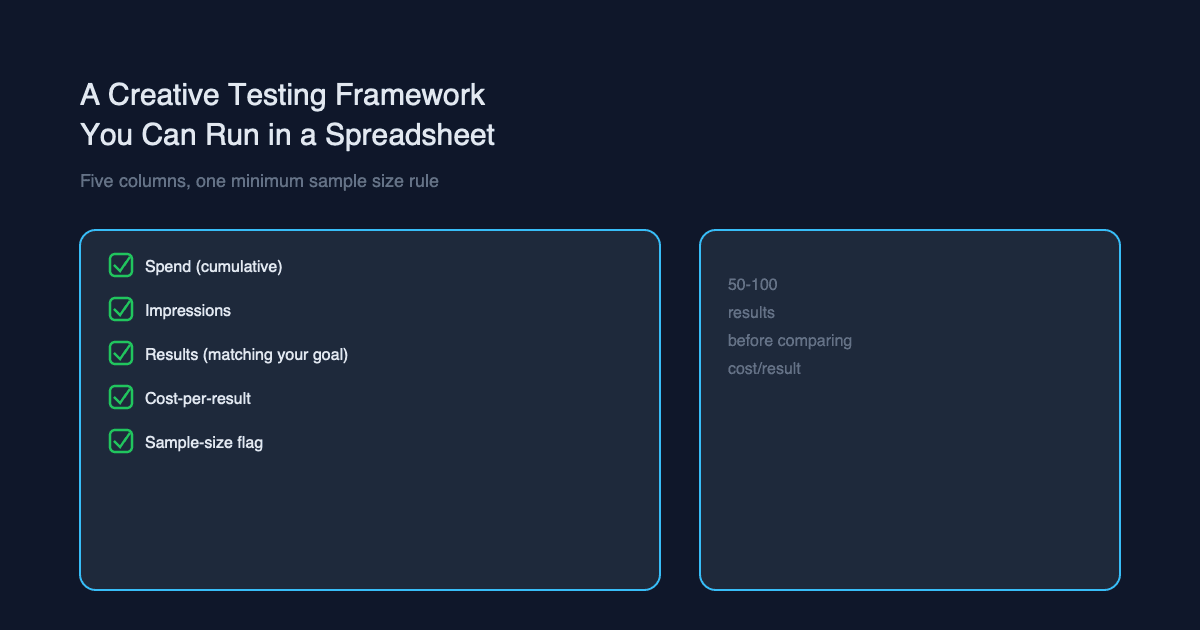
Creative Testing Spreadsheet: Formulas and Stop Rule
A Google Sheets layout, copy-and-paste formulas and a z-test stop rule for Meta and Google tests. In our worked example, a 23% lift was not significant at 95%.
By Abhilash LR
You can call a creative test winner only after a planned sample is reached and a two-proportion z-test clears 95% confidence. That test checks whether the gap between two rates is larger than random noise. This post gives you the sheet layout, the formulas and the stop rule.
COACT sells Loupe and runs growth marketing for clients; this post links to both.
By Abhilash LR, who leads growth marketing at COACT.
Key Takeaways
- Test one variable and one primary metric per test.
- Fix the sample size and run length before launch, then do not stop early.
- After the planned sample, run a z-test. Call a winner only at 95%.
- A 23% lift on about 200,000 impressions per variant can still be noise.
This is the tracking side of testing. For what to test, see our guide to creative testing for performance marketing.
What Is the Method in Five Steps?
The method is to pick one variable, fix the sample in advance, run at least two weeks, test once at the end, and keep delivery stable. Meta's own A/B testing guidance says to test one variable, build on a hypothesis and wait for the final result (Meta A/B testing page, accessed 19 Oct 2026).
- Pick one variable and one primary metric. For example, purchases per click. Successes are purchases, trials are clicks. Clicks per impression also works.
- Decide the sample size and run length in advance. Do not stop early.
- Run at least two weeks. Meta's A/B guidance sets that floor.
- Test once, after the planned sample is reached. Run a two-proportion z-test. Call a winner only at 95% confidence. Label 80% "directional". Otherwise, report no proven difference.
- Keep delivery stable. Same budget, no edits mid-test.
The Meta page says nothing about significance thresholds, so these cutoffs are ours. It does show a confidence percentage for each test, and we treat that as a reading aid only. Do not stop a Meta test because its confidence number crosses 95% mid-run.
Which Columns Does the Sheet Need?
You need six columns: variant, spend, clicks, purchases, purchase rate and cost per purchase. Google's Demand Gen experiment guidance says the arms should differ in only one variable (Google Ads Help, accessed 19 Oct 2026). One row per variant keeps that discipline visible.
Paste this into Google Sheets, starting in cell A1. The two rows are illustrative, not client data.
| Variant | Spend | Clicks | Purchases | Purchase rate | Cost per purchase |
|---|---|---|---|---|---|
| A | 1200 | 4000 | 120 | 3.00% | 10.00 |
| B | 1200 | 3900 | 96 | 2.46% | 12.50 |
Columns A to F hold the data. Row 1 is the header, row 2 is Variant A, and row 3 is Variant B. Columns H to K hold the test result, and columns M to P hold the plan, so no formula collides with your data.
If your primary metric is early attention, use Motion's hook rate, which is 3-second plays divided by impressions (Motion glossary, vendor definition, accessed 19 Oct 2026). Benchmark it against your own account, not someone else's.
What Are the Google Sheets Formulas?
Six formulas cover the test, plus one for planning. They assume the layout above: clicks in column C, purchases in column D, purchase rate in column E. The z-test formula is the standard pooled version (NIST e-Handbook; background at Wikipedia, accessed 19 Oct 2026).
Purchase rate goes in E2, and the same formula goes in E3 with row 3 references:
=IFERROR(D2/C2,"")
Cost per purchase goes in F2, then F3:
=IFERROR(B2/D2,"")
Pooled rate goes in H2. We keep it out of column F because F holds cost per purchase:
=(D2+D3)/(C2+C3)
Z-score goes in I2. It reads the two rates from E2 and E3 and the pooled rate from H2:
=(E2-E3)/SQRT(H2*(1-H2)*(1/C2+1/C3))
P-value (two-sided) goes in J2:
=2*(1-NORM.S.DIST(ABS(I2),TRUE))
Decision goes in K2. It applies the stop rule and the plan. It says "Keep running" until both variants reach the planned sample and the end date passes. Then p below 0.05 is a winner (A if z is positive, B if negative), p below 0.20 is directional, and anything else is no proven difference:
=IF(OR(C2<N(O2),C3<N(O2),TODAY()<P2),"Keep running",IF(J2<0.05,IF(I2>0,"Winner: A","Winner: B"),IF(J2<0.2,IF(I2>0,"Directional: A","Directional: B"),"No proven difference")))
A non-significant result does not show the variants are equal.
O2 must be in the same units as the trials column C. We wrap O2 in N() so a blank plan counts as zero. With the plan cells blank, K2 behaves as in the sample: z is 1.47 and p is 0.14, so K2 shows "Directional: A."
Planned sample per variant goes in O2. Put the baseline rate in M2 and the smallest rate worth detecting in N2. N2 can be above or below M2. Use M1 "Baseline rate", N1 "Rate to detect" and O1 "Planned sample per variant" as headers:
=IFERROR(ROUNDUP((NORM.S.INV(0.975)+NORM.S.INV(0.8))^2*(M2*(1-M2)+N2*(1-N2))/(M2-N2)^2,0),"")
Add P1 "Planned end date" and type the date in P2. Lock both cells before the test starts, and do not change them afterward.
To test clicks per impression, add an Impressions column in G. Then set E2 to =C2/G2 and E3 to =C3/G3, H2 to =(C2+C3)/(G2+G3), and I2 to =(E2-E3)/SQRT(H2*(1-H2)*(1/G2+1/G3)). In that case, the planned sample in O2 is in impressions, so compare it with G2 and G3 in the K2 gate.
The NIST e-Handbook puts it plainly: "The hypothesis of equal proportions can be tested using a z statistic" (NIST e-Handbook, accessed 19 Oct 2026).
One caution. A common rule of thumb is at least 10 successes and 10 failures per variant. Below that, use Evan Miller's chi-squared tool.
Why a 23% Lift Can Still Be Noise
A lift can look large and still sit inside noise when the event counts are small. In the example below, Variant A beats Variant B by 23%, yet the two-sided p-value is about 0.147. That is above the 0.05 needed for 95% confidence, though it is under 0.20, so it counts as directional only.
Illustrative example, not client data.
Variant A got 112 results from 210,000 impressions. Variant B got 89 results from 205,000 impressions. Here we use impressions as the trials. The same logic applies to clicks.
- Rate A = 112 / 210,000 = 0.0533%
- Rate B = 89 / 205,000 = 0.0434%
- Pooled rate = 201 / 415,000 = 0.0484%
- z is about 1.45
- Two-sided p is about 0.147
A looks 23% better. It is not significant at 95% (p = 0.147, roughly 85% confidence). It clears our 80% directional bar, so the honest label is "directional, not proven." It is not a winner.
Now the harder question. How much data would settle it? Using the standard formula n = (z_alpha/2 + z_beta)^2 x [p1(1-p1) + p2(1-p2)] / (p1-p2)^2, we calculate roughly 770,000 impressions per variant to detect this gap with 80% power. That is our calculation. Cross-check it with Evan Miller's sample size calculator and verify the z-test with his chi-squared test tool.
That is more than three times what the test had. A test with this much data simply cannot separate a gap this small from noise.
The Peeking Problem
Peeking means checking results repeatedly and stopping the first time they look significant. Every extra look gives noise another chance to cross the line. Evan Miller's advice is blunt: "Decide on a sample size in advance and wait until the experiment is over" (Evan Miller, How Not To Run an A/B Test, April 18, 2010).
Think of it as flipping a fair coin and stopping the moment heads leads. You will often find a "winner." The coin has not changed.
So the sheet needs a locked plan. Write the planned impressions or clicks per variant, plus the end date, before launch. Only read the decision cell once both are met.
A dashboard can still help for monitoring. Use it to catch broken ads or tracking failures. Do not use it to declare victory. If tracking is in doubt, fix that first with our guide to conversion tracking setup.
How Much Data Is Enough?
Plan the sample with a power calculation, not a conversion count. Platform minimums are eligibility and delivery floors, not significance thresholds. Google's Demand Gen experiments need at least 50 conversions per arm and 100 data points for conversion-based tests, and let you pick 70%, 80% or 95% confidence (Google Ads Help, accessed 19 Oct 2026).
Meta's developer documentation for Horizon ads says the learning period stabilizes with a minimum of 50 events over a 7-day period (Meta developer docs, updated 8 Apr 2026). Treat that as indicative for Meta's learning phase generally, not as a rule for your account.
Our worked example shows why. Variant A had 112 results and B had 89, both above 50. The result was still only directional (p about 0.147).
To plan a real test, enter your baseline rate and the smallest lift worth acting on into the planning cells or a calculator. If the required sample is out of reach, test bolder changes. A big creative difference needs far less data than a subtle one. A fatigued ad can also distort a long test, so check ad fatigue on Meta before you read the result.
Test Setups Compared
Use Meta's A/B test tool or a Google Demand Gen experiment when you want the platform to split traffic cleanly. Use a manual spreadsheet when you need to compare things the tools do not cover. Here is how they differ.
| Test setup | What it controls | When to use |
|---|---|---|
| Meta A/B test tool | Splits the audience so variants do not overlap; one variable per test | Creative or audience tests inside Meta |
| Google Demand Gen experiment | Splits traffic between campaigns that differ in only one variable | Creative tests on Google with enough conversions per arm |
| Manual spreadsheet | Nothing automatically; you control budget, timing and edits yourself | Cross-checking platform results, or comparing exported data |
Sources: Meta A/B testing page and Google Ads Help, both accessed 19 Oct 2026.
The manual route has the most risk. Nothing stops you from changing a budget halfway through. That is why the next list matters.
Mistakes That Fake a Winner
Four mistakes cause most false winners: unequal budgets, mid-test edits, mismatched days or audiences, and stopping when the dashboard looks good. Each one breaks the "only one thing differs" rule that makes the z-test valid.
- Unequal budgets. The platform gives more delivery to one variant, so you compare different auction mixes.
- Editing mid-test. A new bid, budget or caption resets learning and changes what you measure.
- Comparing different days or audiences. A Monday for A and a Saturday for B is not a test.
- Stopping when the dashboard looks good. That is peeking, and it inflates false winners.
Before you start, write a one-line brief for each variant, using our creative brief template. It makes the single variable explicit. When results feed your CAC reporting, our blended CAC report in Google Sheets shows where to put them.
What Should You Take Away?
Fix the metric, fix the sample, wait, then test once. A winner needs 95% confidence. A result at 80% to 95% confidence (p between 0.05 and 0.20) is directional, and anything lower is no proven difference. If your tests keep ending that way, you are likely testing differences that are too small for your volume. Test bolder creative or lengthen the run.
If wasted spend is the wider worry, our PPC audit red flags checklist is a good next read. If CAC is climbing, see why your CAC is increasing.
Get Your Account Audited
Loupe is a 133-point review of your Meta and Google ad accounts, priced at US$199, US$299 or US$399, with reports in 3, 5 or 7 business days. It suits D2C and e-commerce teams spending about Rs 2.5 lakh / US$3,000+ a month with 60+ days of data. There is no retainer. If it surfaces fewer than three fixes you can act on that week, request a refund within 14 days of delivery. See a sample report.
Still Launching? Get an Expert Team to Execute
If you are still launching, you may have no data to audit yet. You may also prefer a team that plans and runs the work for you. In that case, book a strategy call with COACT. You can talk through your channels, your budget and where to start. If you have outgrown DIY, when DIY stops working can help you decide.
Frequently Asked Questions
How long should a creative test run?
Run it for at least two weeks. Meta's A/B testing guidance recommends that minimum. Longer is better if your planned sample is not reached by then. Fix the end date before launch, and do not shorten it because early numbers look decisive.
What confidence level should I use?
Use 95% to call a winner. Google's Demand Gen experiments let you choose 70%, 80% or 95%. We label 80% as directional and treat anything lower as no proven difference. Pick the level before the test starts, not after you see the result.
Can I use impressions instead of clicks in the z-test?
Yes. The test needs successes and trials. For clicks per impression, clicks are successes and impressions are trials. For purchases per click, purchases are successes and clicks are trials. Choose one primary metric and keep it for the whole test.
Does 50 conversions per variant mean I have a winner?
No. Fifty is a floor for stable delivery and a Google experiment requirement, not a significance threshold. Our example had 112 and 89 results and still produced a p-value of about 0.147. Compute the z-test on your planned sample instead.
What if the result shows no proven difference?
That is a valid result. It means the data cannot separate the variants at your sample size, not that they perform the same. Keep the cheaper or simpler one, or rerun with a bolder difference and a larger planned sample. Do not extend the test just to chase significance.
Is the sheet formula the same as Meta's confidence number?
Not necessarily. Meta reports a confidence percentage for each test, but its page does not describe the math or a threshold. The sheet uses a standard pooled two-proportion z-test. You can cross-check your numbers with Evan Miller's chi-squared tool.
Abhilash LR leads growth marketing at COACT, a performance marketing agency working across Southeast Asia and India. COACT also sells Loupe, a fixed-price ad account audit.
Published at www.coact.biz2026-09-30 · Abhilash LRWant results like these for your brand?
COACT runs performance-based growth across SEA & India. Start with a free 15-day pilot.
Book a strategy callKeep reading
12 Questions to Ask Before You Hire an Ad Auditor
Hiring a one-time ad auditor? Ask these 12 questions on scope, turnaround, sample reports, access and guarantees, then send our copy-paste email template.
How to Read Meta Ads Manager Without Fooling Yourself
Ads Manager and your store rarely agree. See why Meta's purchase count and your orders differ, plus a monthly reconciliation template and four checks.